
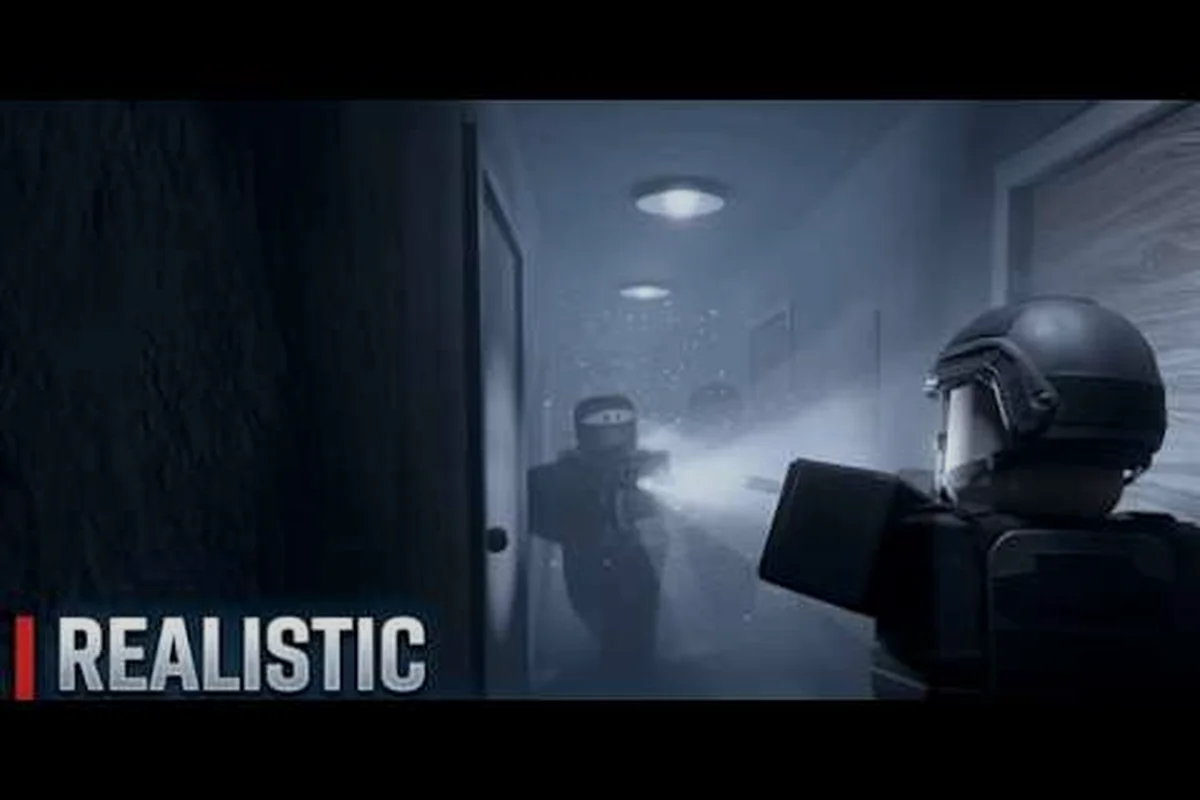
The REALISTIC HOME DEFENSE group is the fastest way to turn a solo Roblox defense session into a coordinated squad run, and the IBA Community hub is where that happens. This guide maps out the Discord, giveaways, events, and feedback channels so you know exactly where to go and what to expect before you knock on the door.
For a closer look at how realistic home defense groups approach drills and preparedness, the Realistic Home Defense Group video breakdown walks through the mechanics and considerations involved.
What the REALISTIC HOME DEFENSE Group Hub Contains
The IBA Community runs the game, and its social layer is built around a single idea: players who talk to each other defend better together. That means the realistic home defense community is not just a chat room — it is the place where updates get announced first, where group members organize raid nights, and where bug reports get triaged before they hit a public patch.
Day one inside the realistic home defense Discord is less about browsing and more about orientation: the pinned messages at the top of each channel spell out the server rules, the current patch number, and the scheduled community nights, so a new member can read those first and immediately know which update the group is defending on. From there, the structure mirrors the table below — announcements carry hotfixes, LFG threads fill squads for night defense rounds, and the feedback forms route bug and balance reports straight to moderators — which is why joining the server before your first raid night saves you from guessing where patch notes or squad calls actually live.
-
Announcement channels that post patch notes and hotfixes before they appear in-game
-
Looking-for-group threads so you can find a squad for a night defense instead of queueing alone
-
Giveaway drops tied to subscriber milestones and update launches
-
Event calendars for scheduled community nights
-
Feedback forms and report channels that route directly to moderators
The community is free to join and does not require Robux, which matters because the game itself is designed to be playable at 0 Robux. A basic overview video from MBT walks through the experience and confirms the Discord is the entry point for new players who want structure rather than random public lobbies.
| Channel Type | Purpose | Who Uses It |
|---|---|---|
| Announcements | Patch notes, update drops, downtime alerts | Everyone |
| LFG / squad-finding | Pair up for night defense rounds | New and veteran players |
| Giveaway channel | Milestone and update rewards | Active members |
| Events board | Scheduled community nights | Group regulars |
| Feedback / reports | Bug reports, balance suggestions, cheat reports | Anyone with an account |
The practical takeaway is simple: the realistic home defense community works best when you treat it as a tool rather than a hangout. Read the pinned messages in each channel before posting, because the moderators keep rules and schedules pinned at the top.
How to Join the REALISTIC HOME DEFENSE Discord
Joining the realistic home defense discord is a short process, but the steps matter because a half-finished setup leaves you locked out of the channels you actually want. The server uses verification gates to keep bot spam and throwaway accounts out, so expect to confirm your Roblox identity before the full channel list unlocks.
Step-by-step joining flow
-
Open the game page on Roblox and look for the social links panel, which points to the official server invite.
-
Accept the invite and land in the welcome channel, where the rules and a short verification prompt appear.
-
Link or confirm your Roblox username so moderators can match you to a group membership.
-
Read the rules channel and react to the acknowledgement prompt to unlock general chat.
-
Pick your roles — squad-finding, event ping, or giveaway ping — so you only get notifications you want.
The role selection step is where most people either win or lose the experience. If you enable every ping, your phone will buzz through every giveaway entry and every event reminder, and you will mute the server within a week. Choose event pings and squad-finding first, then add giveaway pings once you know the drop cadence.
What to do in your first 24 hours
New members who post an introduction in the first day tend to get pulled into squads faster, because the regulars recognize a name they have seen before. Say what time zone you play in and whether you prefer defender or intruder roles. That single post does more for your matchmaking than a week of lurking.
Beyond the intro post, the community Discord breakdown maps the server layout and channel etiquette, covering the moderation structure and which channels are worth pinning. It is worth a read before you start posting matchmaking requests, since the realistic home defense group runs separate channels for squad-finding, loadout feedback, and event announcements; dropping a defender-role request in the general chat instead of the dedicated LFG channel is the most common reason a first-day post gets buried. Knowing where the pinned rosters and giveaway threads live also means you catch realistic home defense events and feedback threads as they open rather than days late.
REALISTIC HOME DEFENSE Socials Beyond Discord
Discord is the core hub, but the realistic home defense socials spread across a few other platforms, and each one serves a different purpose. YouTube is where gameplay clips and update reactions land, including community videos like SecretWood's night vision update reaction, which gave players their first look at how the lighting overhaul changed nighttime raids. Those clips are useful because they show the mechanic in motion rather than describing it in patch notes.
| Platform | Primary Use | Update Speed |
|---|---|---|
| Discord | Coordination, reports, giveaways | Fastest |
| YouTube | Gameplay clips, update reactions | Same day |
| Roblox group page | Membership, group rewards | On patch |
| Community event boards | Scheduled nights | Weekly |
The Roblox group page itself is worth joining even if you never post, because group membership is often a prerequisite for giveaway eligibility and some in-game reward flags. A separate Roblox group guide explains how membership ties into rewards and how to report cheaters through the proper channel rather than in general chat.
One caution about socials: fan-run accounts and impersonator servers exist, and they sometimes promise rewards the official team never offered. Verify any invite against the links posted on the official game page before you hand over account details. Moderators will never ask for your password, and any server that does is not the real one.
REALISTIC HOME DEFENSE Giveaways and How They Work
The realistic home defense giveaways are the most misunderstood part of the community, mostly because new members assume they are random loot drops. In practice, most giveaways are milestone-driven — they fire when the community hits a subscriber count, a member count, or a major update launch. That means the drop schedule is predictable if you watch the announcement channel.
Typical giveaway triggers
-
Subscriber milestones on the community YouTube channel
-
Member count thresholds on the Discord server
-
Update launches, where the team celebrates a patch with a drop
-
Event participation, where finishing a scheduled community night enters you automatically
Eligibility usually requires an active group membership and a verified Discord account, and some drops require you to have played within a recent window. The rules are posted with each giveaway, so read them before entering — a disqualified entry wastes a slot someone else could have used.
The giveaway schedule and rules page tracks current drops and past winners, which is a good way to confirm a giveaway is legitimate before you spend time on entry requirements. Cross-check the posted winner list against the Discord announcement history — a real milestone drop will show the subscriber or member count that triggered it, the patch version or event night it tied to, and a timestamped winner post from the same account that runs the server. If the schedule page lists a drop with no matching announcement, no recorded trigger threshold, or a winner name that never appears in the member roster, treat it as unverified and skip it; the rules page also flags which drops require a recent play window, so you can confirm your eligibility before committing a slot.
Why participation beats lurking
Members who show up to events and post in squad threads get flagged as active, and active members are the ones moderators remember when a limited-slot drop appears. This is not a formal points system — it is just how small communities work. Being a recognizable name is the single biggest advantage you can build in a server of this size.
REALISTIC HOME DEFENSE Events and Community Nights
Scheduled realistic home defense events are where the community stops being a chat room and becomes a playgroup. These are organized sessions, usually announced a few days ahead, where members split into defender and intruder teams and run structured rounds instead of the usual public-lobby chaos.
| Event Type | Format | Best For |
|---|---|---|
| Community night | Open lobby, mixed skill | New members meeting regulars |
| Squad scrims | Pre-formed teams | Players chasing competitive rounds |
| Update preview nights | Test new mechanics together | Anyone curious about patches |
| Themed challenges | Rule-limited rounds | Veterans bored of standard play |
The value of an organized night is coordination. In a public lobby you get random teammates who may not communicate; in a community event you get people on voice chat calling out intruder positions and covering the same entry points. That difference shows up immediately in how long your team survives.
Event announcements usually include a start time in multiple time zones, which is a small courtesy that matters if you are playing from outside North America. If you cannot make the main slot, check whether the organizers run a second session — many do, especially for weekend nights.
The events calendar and recap page keeps a running list of past nights and upcoming slots, so you can plan around the ones that fit your schedule. Each recap entry typically notes the map pool and rule set used — for example whether a community night ran standard defender loadouts or the restricted-kit format from the themed challenges — which lets you judge whether a session suits your squad before committing. Reading two or three recaps also reveals attendance patterns: if squad scrims consistently fill two lobbies while update preview nights draw a smaller crowd, you know where to bring a pre-formed team and where you can drop in solo and still get matched with voice-chat regulars.
Getting the most out of a community night
Arrive a few minutes early, join the voice channel even if you only listen, and claim a role before the round starts. Players who join mid-round usually get slotted wherever there is space, which often means the least interesting position. Early arrivals get first pick of defender posts, and defender posts are where the game's tension actually lives.
REALISTIC HOME DEFENSE Feedback That Reaches the Developers
The realistic home defense feedback system is the part of the community most players ignore, and it is also the part with the most direct impact on the game. The IBA Community team reads structured reports, and a well-written report on a balance issue or a bug gets acted on far faster than a complaint buried in general chat.
What makes a report useful
-
Reproducible steps — what you did, in what order, and what happened
-
Version and platform — the patch number and whether you played on PC or mobile
-
A clip or screenshot where possible, especially for physics or collision bugs
-
One issue per report, so it can be triaged without splitting the thread
Reports that say only "the game is broken" get closed. Reports that say "on the night vision update, entering the back hallway on the second floor causes the camera to clip through the wall on mobile" get fixed. The difference is specificity, and the moderators have said as much in pinned posts.
Cheating reports follow a separate path. If you suspect a player is using exploits, the anti-cheat and reporting guide explains what evidence moderators need and why a clip with a clear timestamp is worth more than a description. Submitting cheat reports through the proper channel also keeps them out of public chat, where accused players can see them and adjust.
Balance suggestions versus bug reports
These are treated differently, and mixing them slows both down. A bug report describes something broken; a balance suggestion describes something working as designed but feeling unfair. Put balance ideas in the suggestion channel with a short rationale — what feels wrong, why, and what you would change. Suggestions that include a specific number change ("the intruder sprint speed feels too high relative to defender reaction time") get more traction than vague complaints.
Frequently Asked Questions
Do I need to join the Discord to play REALISTIC HOME DEFENSE?
No, the game is playable without joining anything, and it runs at 0 Robux. However, the realistic home defense group is where updates, giveaways, and organized events get announced first, so members usually hear about changes before public-lobby players do.
Is the REALISTIC HOME DEFENSE Discord free to join?
Yes. Joining costs nothing and does not require Robux or a paid tier. You will need a Roblox account to verify, and you should confirm the invite comes from the official game page rather than a fan-run or impersonator server.
How often do REALISTIC HOME DEFENSE giveaways happen?
Giveaways in the realistic home defense group are scheduled around milestones — a subscriber count, a member threshold, or a new update launch — rather than a fixed calendar, so there is no reliable "giveaway day" to plan around. Watch the announcement channel and read each giveaway's eligibility rules before entering, since some require active group membership or recent playtime in the game.
Can I send feedback without being a group member?
You can usually post in public feedback channels, but full access to report forms and suggestion threads typically requires server verification. Verified members get faster triage because moderators can match reports to a real account and follow up with questions.
What should I include in a bug report?
A good bug report names the exact patch version and platform (PC or mobile), then lists numbered reproduction steps starting from the lobby so a moderator can recreate the issue in a private server. Attach a clip or screenshot whenever the problem is visual or physics-related — a prop clipping through a wall, a defense item failing to register damage, or a ragdoll glitch — since text alone rarely captures those. Keep it to one issue per report so triage stays clean, and post it in the verified report channel rather than a general chat. Specific reports get fixed; vague ones get closed without action.
Putting the Community to Work
The realistic home defense group is worth joining for three concrete reasons: coordination, rewards, and influence. Coordination gets you into squads that actually communicate, rewards come through milestone giveaways and event participation, and influence comes from feedback that the developers read and act on. None of it requires spending money, and all of it requires showing up with a name people recognize.
Start with the Discord, pick only the notification roles you will actually read, and post an introduction with your time zone and preferred role. Then put one scheduled event on your calendar and file one specific bug report the next time something breaks. That combination — presence, participation, and precise feedback — is what separates members who get value from the community from members who join, mute everything, and forget the server exists.