
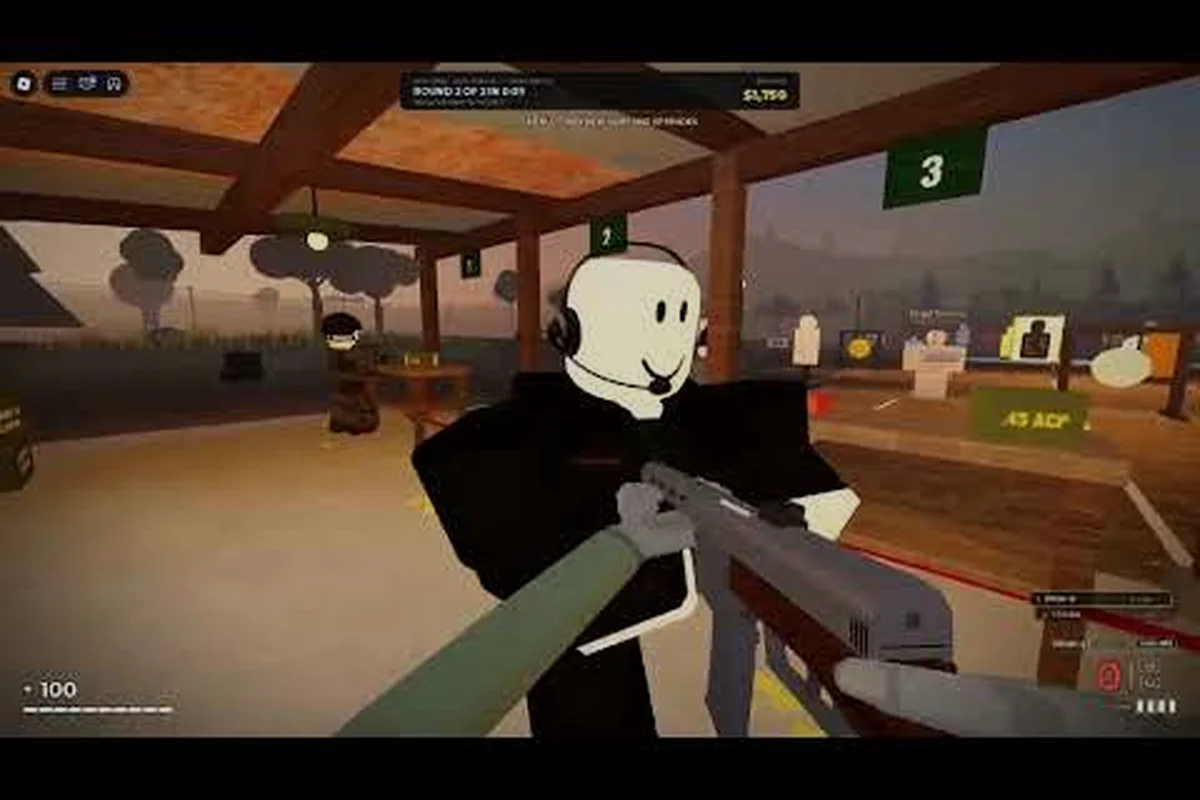
REALISTIC HOME DEFENSE prone controls decide whether you survive a hallway push or eat a shotgun blast, because going flat changes your hitbox and your line of sight at the same time. This breakdown maps every stance, fire mode, and interact input so you stop fumbling mid-breach.
Why Prone Controls Matter More Than Raw Aim
Most defense rounds are lost in the two seconds after a door cracks open, not in a long-range duel. When you drop to prone behind a couch or a bed frame, your profile shrinks dramatically and incoming fire from the doorway tends to sail over you. That positional advantage only pays off if the input is bound somewhere your thumb or finger can reach without looking down.
The prone stance in this Roblox defense shooter is a commitment, not a toggle you spam. Standing up takes a beat longer than crouching, so the key you assign needs to be deliberate. Players who bind prone to a face button they also use for jumping end up flopping on the floor during a reload, which is exactly the wrong moment to be flat.
Community reports from raw gameplay footage show that experienced defenders hold a low stance while watching a choke point, then rise only to reposition. That rhythm is impossible with a clumsy layout. If you want the full input map beyond stances, the console and mobile control breakdown covers the surrounding keys.
Here is the baseline input set most players start from before customizing, and it is worth studying closely because the defaults reveal where the layout fights you. Prone sits on Z for keyboard, D-pad Down on gamepad, and a dedicated stance toggle button on mobile — three very different ergonomic commitments for the same action. On keyboard, Z is a pinky stretch away from the WASD cluster, meaning you can drop prone without leaving movement keys, but you also risk brushing it mid-strafe. On gamepad, D-pad Down forces your left thumb off the stick entirely, so you cannot adjust aim while dropping — a real problem when a doorway peek is already in progress. Mobile's stance toggle is the most forgiving of the three since it is a tap rather than a hold, which suits the touchscreen's lack of tactile feedback.
| Action | Keyboard Default | Gamepad Default | Mobile Default |
|---|---|---|---|
| Prone / stand up | Z | D-pad Down | Stance toggle button |
| Crouch | C | B / Circle | Crouch button |
| Fire mode switch | X | D-pad Left | Fire mode icon |
| Switch weapon | 1 / 2 / scroll | LB / RB | Weapon wheel |
| Interact | E | X / Square | Context button |
| Reload | R | X / Square (hold) | Reload icon |
Notice that Interact (E on keyboard, X/Square on gamepad) and Reload (R on keyboard, X/Square hold on gamepad) collide on some gamepad presets — the same face button serves both actions, so the game has to infer intent from press duration. That overlap is the single most common cause of accidental door opens during a firefight: you tap X/Square to reload mid-spray, the hold window misreads it, and your defender swings a door open instead of topping off the magazine. The fix is to remap reload to a hold-safe input such as D-pad Left or a paddle, keeping Interact on the tap button, and then verify the change in a low-stakes doorway before trusting it under fire — treat the table above as a starting point rather than gospel.
Setting Up the Fire Mode Button and Switch Weapon Keys
Fire mode is the input that quietly wins fights. Semi-auto keeps your shots tight and conserves ammo during a slow breach, while full-auto is what you want when three attackers funnel through the same doorway. The fire mode button needs to be a single tap that does not require you to move your trigger finger off the shot.
On keyboard, X works well because your left hand already hovers near the movement cluster. On a controller, D-pad Left is the standard slot, but many players remap it to a paddle or a stick click so they can swap modes while strafing. The tradeoff is real: stick click can trigger accidentally during a hard flick, so test it in an empty lobby before trusting it in a live round.
Weapon switching deserves equal attention. Cycling through three guns with a scroll wheel is fine on PC but disastrous on a pad, where tapping LB or RB in the wrong order leaves you holding a pistol against a rifle. Bind your primary weapon to a dedicated key and keep the sidearm on a separate input so the swap is a single decisive press.
| Scenario | Recommended Fire Mode | Why It Works |
|---|---|---|
| Holding a narrow hallway | Semi-auto | Tight grouping, no wasted rounds |
| Breach response at close range | Full-auto | Suppression while you retreat to cover |
| Long sightline down a stairwell | Semi-auto | Recoil control at distance |
| Multiple attackers stacked at a door | Full-auto | Volume beats precision in a crowd |
| Reloading under pressure | Any mode | Swap weapons instead of reloading |
The pattern is simple: precision when you have time, volume when you do not. Players who leave the gun on full-auto for an entire match burn through magazines and get caught reloading at the worst possible moment. Pairing your fire mode discipline with solid defensive positioning and peeking habits turns a decent setup into a genuinely hard target.
Remapping the Fire Mode Toggle on Controller
If you play on a standard pad, the fastest fix is moving fire mode off the D-pad and onto a back button or a shoulder tap you rarely use otherwise. The D-pad forces you to lift your thumb from the right stick, which means you cannot aim while changing modes. A paddle or an extra shoulder input keeps both thumbs on the sticks.
Test the remap in a private session by firing a burst, toggling, and firing again without looking at your hands. If you have to glance down, the binding is wrong. Repeat until the toggle feels like a reflex, because in a real breach you will have roughly one second to decide between precision and suppression.
The Interact Key and Why It Breaks Fights
The interact key handles barricades, doors, ammo crates, and revives, which means it is pressed constantly and often while enemies are closing in. The classic failure is holding interact a fraction too long and triggering a second action, like closing a door you just opened or grabbing a barricade you meant to leave in place.
On keyboard, E is comfortable but sits right next to your movement keys, so a panicked hand can tap it accidentally. Some players move interact to F or a mouse side button to keep it clear of WASD. On controller, the standard X/Square slot is usually shared with reload, and that collision is worth fixing immediately.
Practical fixes that players report working well start with input separation: bind interact to a dedicated key or button that never doubles as reload or weapon swap, since the X/Square collision on controller is the single most common cause of a botched barricade placement mid-fight. Watch your distance from the prompt too — standing flush against cover can register a grab when you meant to place, so step back a half-meter before tapping. Drilling the open-close-door sequence in an empty lobby for a few minutes trains the release timing that prevents double-triggers, and on mobile, dragging the context button clear of the fire button keeps your thumb from sliding between them during a reload-interact scramble.
-
Bind interact to a dedicated input that is never used for reload or weapon swap.
-
Keep the interact prompt radius in mind; standing too close to a barricade can trigger a grab instead of a placement.
-
Practice the open-close-door sequence in an empty lobby until the timing feels natural.
-
On mobile, drag the context button away from the fire button so your thumb does not slide between them.
-
Avoid binding interact to the same input as prone, since you often want to go flat right after placing cover.
Mobile players have the toughest time here because the context button appears dynamically and can overlap other controls. The mobile button layout and sensitivity guide walks through resizing and repositioning those touch targets so the interact prompt never sits under your firing thumb.
Building a Controller Layout That Fits Your Hands
A controller layout is personal, but a few principles hold for almost everyone. Your right thumb should almost never leave the right stick during a fight, your left thumb should stay on the movement stick, and anything you press reactively needs to live on a bumper, trigger, or back paddle.
| Input Priority | Best Slot | Avoid |
|---|---|---|
| Prone / stand | Back paddle or D-pad Down | Face button shared with jump |
| Fire mode toggle | Shoulder tap or paddle | D-pad requiring thumb lift |
| Switch weapon | LB / RB or dedicated paddle | Scroll-style cycling |
| Interact | X / Square (unshared) | Same input as reload |
| Reload | Dedicated face button | Hold-to-reload combos |
| Crouch | B / Circle or paddle | Analog stick click |
The reasoning behind the priority order is straightforward. Inputs you press while actively aiming belong on the shoulders and paddles, because those fingers are otherwise idle. Inputs you press during downtime, like reloading behind cover, can stay on face buttons. Prone sits in a gray zone: you press it reactively but not while tracking a target, so a paddle is ideal and a face button is acceptable.
Sensitivity interacts with all of this. A high look sensitivity makes prone-and-rise feel snappy but punishes small aim corrections, while a low sensitivity steadies your shot but slows your recovery from a bad stance. Most players settle somewhere in the middle and adjust per weapon. The beginner-friendly control tutorial covers sensitivity ranges and keybind presets in more depth if you want a tested starting point.
Testing Your Layout Before a Real Match
Load into a private session and run a short drill: prone behind cover, rise, swap to your sidearm, toggle fire mode, and interact with a nearby barricade. If any step requires you to look at your hands or pause, that binding needs work. Run the drill three times and time yourself mentally; the difference between a clean layout and a clumsy one shows up immediately.
Mobile Button Layout for Prone and Fire Mode
Touch controls are the hardest case because every input competes for the same screen real estate. The mobile button layout needs three things above all: a prone toggle reachable by your left thumb, a fire mode icon that does not sit under your right thumb's aim area, and an interact prompt that never overlaps the fire button.
Start by shrinking the default buttons slightly and spreading them toward the screen edges. Most players hold a phone with thumbs anchored low, so the bottom corners are prime real estate. Put movement and prone on the left, aiming and fire on the right, and push secondary actions like reload and weapon swap toward the middle where a quick reach can find them.
| Mobile Input | Recommended Position | Reason |
|---|---|---|
| Prone toggle | Left edge, above movement | Reachable without leaving movement |
| Fire mode icon | Top right, out of aim zone | Tap without blocking the view |
| Switch weapon | Bottom center-right | Quick reach between thumbs |
| Interact | Right side, above fire | Avoids accidental firing |
| Reload | Bottom right corner | Standard, familiar placement |
| Crouch | Left side, near prone | Groups stance controls together |
Transparency settings matter too. Lowering button opacity keeps your view of the doorway clear while still letting you find the controls by muscle memory. Players who crank opacity to maximum often complain they cannot see attackers approaching from the sides, which is a layout problem disguised as a graphics complaint.
One more mobile-specific tip: the prone button should not be a hold. A tap-to-toggle stance keeps your thumb free to keep aiming, whereas a hold forces you to sacrifice aim control for the entire time you are flat. If the default is a hold, change it.
Common Prone and Input Mistakes to Fix
Even with a good layout, habits sabotage players. The most frequent mistake is going prone in the open. Flat on the floor in a doorway makes you a stationary target with no escape route, and the rise animation locks you in place long enough to eat a follow-up shot. Prone is for cover, corners, and low walls, not open floor.
The second mistake is toggling fire mode mid-magazine without a reason. Every toggle is a fraction of a second where your finger is not on the trigger, and against a fast push that fraction matters. Decide your mode before the fight starts based on the range you expect, then commit.
Beyond those two, the fixes worth internalizing all share a theme: never let a stance change, reload, or input fumble overlap with a moment you might need to shoot. Reloading while prone is the worst offender because the rise delay stacks on top of the reload timer, leaving you defenseless for the full combined window. Keep a sidearm ready for when your primary runs dry mid-breach, and rebind interact away from reload on any platform where they share a slot so a single misclick does not trigger the wrong action under pressure. Check your stance key after every patch, since updates occasionally reset custom binds, and drill the prone-rise-fire sequence until it reads as one motion rather than three separate inputs.
-
Never prone while reloading; you cannot defend yourself and the rise delay stacks on top of the reload.
-
Keep a sidearm ready for the moment your primary runs dry mid-breach.
-
Rebind interact away from reload on any platform where they share a slot.
-
Check your stance key after every patch, since updates occasionally reset custom binds.
-
Practice the prone-rise-fire sequence until it is one motion rather than three.
Raw gameplay footage from the community, such as this no-commentary defense run, shows how often good players drop low before a door opens and rise only after the first attacker commits. Watching the stance timing in unedited play is more instructive than any highlight reel, because you see the pauses and the recoveries that a montage would cut.
Weapon handling ties directly into this. A heavy gun with slow handling punishes a prone-heavy playstyle because you cannot rise and reacquire fast enough, while a lighter weapon lets you bounce between stances. The weapon mechanics and fire mode overview explains how handling speed interacts with stance changes so you can pick a loadout that matches your inputs.
Frequently Asked Questions
What is the default prone key in REALISTIC HOME DEFENSE?
On keyboard the prone stance is bound to Z by default, while gamepad users toggle it with D-pad Down and mobile players tap the stance button. Many players rebind prone to a back paddle or a left-side touch button because the default requires lifting a thumb away from aim or movement during a breach.
How do I switch fire modes quickly during a fight?
Bind the fire mode toggle to a shoulder tap or a back paddle so your thumbs stay on the sticks. On keyboard, X works because your left hand already sits near the movement cluster. Decide your mode before the fight starts rather than toggling mid-magazine, since every toggle briefly takes your finger off the trigger.
Why does my interact key keep opening doors by accident?
Interact usually shares an input with reload on gamepad presets, so a panicked press triggers the wrong action. Move interact to a dedicated button that is never used for reload or weapon swap, and on mobile drag the context button away from the fire button so your thumb does not slide between them.
Can I use prone on mobile without losing aim control?
Yes, as long as the stance button is tap-to-toggle rather than hold-to-toggle. A tap keeps your right thumb free to keep aiming while you are flat, whereas a hold forces you to sacrifice aim for the entire duration. Place the toggle on the left edge above the movement area for easy reach.
Does the controller layout affect how fast I can stand up?
Indirectly, yes. The rise animation has a fixed duration, but a layout that forces you to look down or reposition your grip adds real time on top of it. Binding prone and fire mode to paddles or shoulders means you can rise and reacquire a target in one motion instead of three separate fumbling presses.
Getting your stance, fire mode, weapon swap, and interact inputs onto comfortable buttons is the difference between reacting to a breach and being caught flat-footed. Lock in a layout, drill the prone-rise-fire sequence until it feels automatic, and revisit your binds after every patch so a reset never costs you a round.